
Personalize the app
Change settings and controls
Adjust language, units, appearance, and control size.
The app uses your choices on this device.
Steps
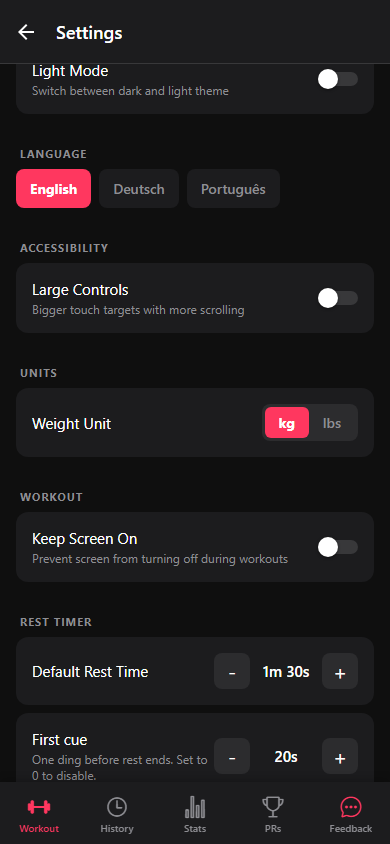
- Open Settings from Workout. Choose language, units, theme, and Large Controls.
- Turn on Keep Screen On to stop the display sleeping during a workout. Set rest, sound, vibration, and backup options if needed.
- Find the app version and build information at the bottom when you need help.